Image, video and audio in one studio
In the shared creative studio, you combine image and video generation with music, speech and sound effects, for example to prepare the visual and audio components of an ad.
Adobe: Firefly Creative Studio cleverkitools.comcurated by Clever Mangos
 Editorial selection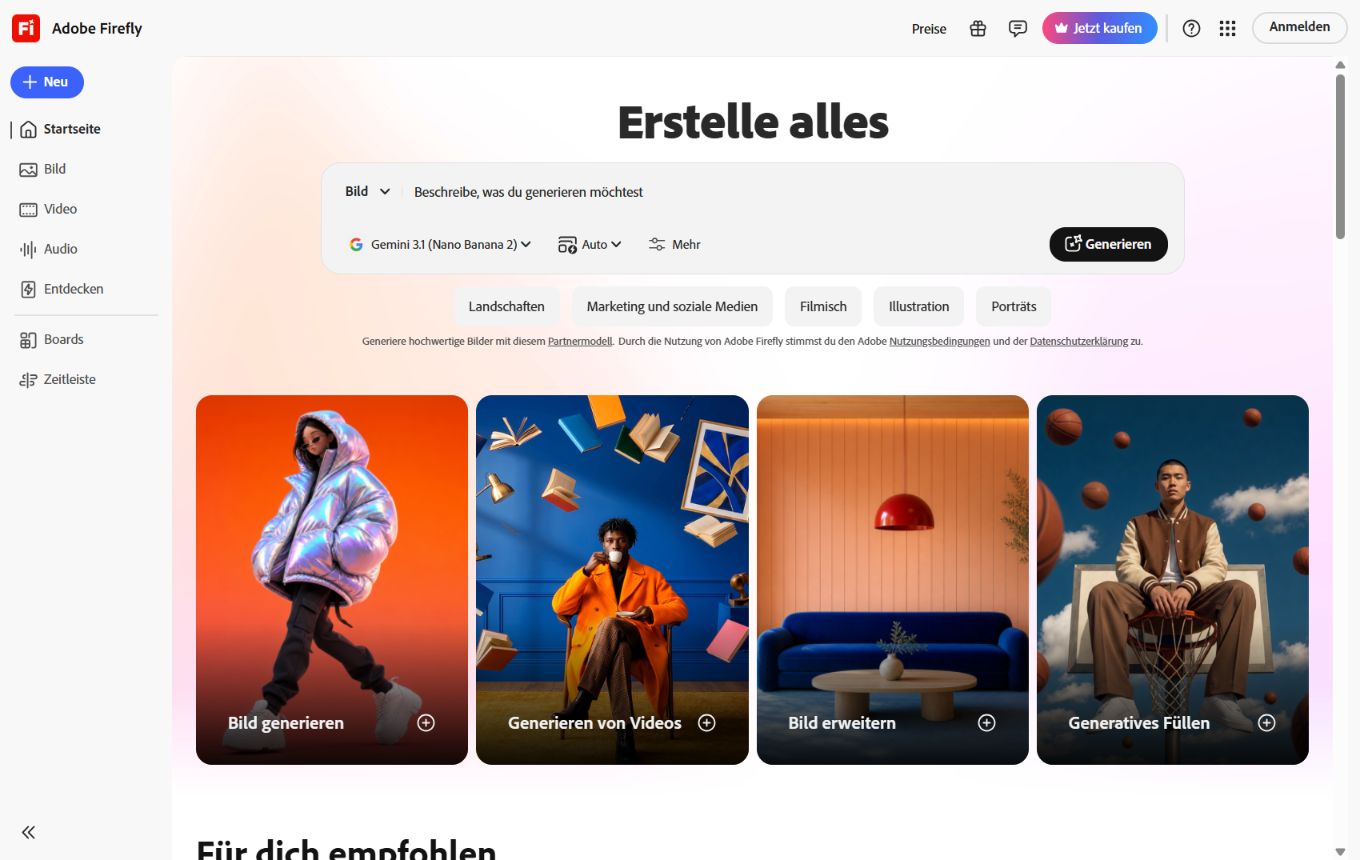
Adobe Firefly brings images, video, audio and an AI assistant together in a creative studio. It is particularly attractive for teams that want to produce generative content in an Adobe-oriented, commercially focused workflow.
Editorial review: Aug 28, 2026
Facts checked: Oct 18, 2026
Translated: Oct 18, 2026
Practical value, usability and value for money, equally weighted.
Teams that want to create image, video and audio drafts in an Adobe-oriented creative process while considering Content Credentials.
The reason to choose Adobe Firefly is its specific combination of Adobe workflows, generative fill and brand-safe creative ideas; this combination distinguishes it within the 'Design & Images' category from purely all-purpose or specialized solutions.
If you do not work in the Adobe ecosystem or want unrestricted, experimental image aesthetics, Firefly can feel too production-oriented and controlled.
In the shared creative studio, you combine image and video generation with music, speech and sound effects, for example to prepare the visual and audio components of an ad.
Adobe: Firefly Creative StudioThe AI assistant plans and edits creative steps conversationally, for example by developing a storyboard and related brand concepts from a campaign brief.
Adobe: Firefly AI assistantContent Credentials document the AI origin of images generated entirely with Firefly in verifiable metadata that you can include when handing them over to customers.
Adobe: Content CredentialsTypical outputs with Adobe Firefly: image and video variations, generative fills, audio ideas and drafts for further creative editing.
Facts checked: Oct 18, 2026
Client: no · Server: yes
Official MCP connector Adobe for creativity with Firefly and other Adobe tools for Claude. Source
Facts checked: Sep 30, 2026
SCCs and adequacy decisions for transfers; DPA only on request for business customers with an Enterprise license. DPA: yes · EU hosting: unclear · Headquarters: USA · Source
Facts checked: Sep 30, 2026
Free plan: yes
Firefly Standard on a monthly subscription; temporary discounts on other plans are not used as the entry price.
An ongoing free plan is available, subject to usage limits.
Facts checked: Oct 5, 2026
Use an existing product or campaign image for generative fill: extend the background, build variations and edit the visual further in Adobe workflows.
Based on this style guide, create three visual directions for the Adobe workflow; describe the prompt, channel and final adjustments.
Upload an existing campaign photo under Expand background and extend the image edge specifically on the side where the headline will go. Describe a calm, suitable background there. Check the transitions, then add the approved headline as editable text in the layout.
Adobe: Expand imagesChoose a wide aspect ratio for an approved portrait-format photo and extend its edges with Expand. An empty prompt field lets Firefly add the surroundings itself. Pay particular attention to lines, furniture and product parts at the boundary with the original before reusing the version on a website or in a presentation.
Adobe: Expand imagesSources: Oct 18, 2026
TechRadar calls Firefly a particularly practical choice for professional creative teams when commercial usability and continued editing in Adobe workflows matter more than maximum experimentation.
TechRadar editorial teamTechRadar · Apr 28, 2026
We were particularly impressed by Firefly Boards: it lets you collect ideas on an infinite online canvas in real time together with your content team.
Krishi ChowdharyTechRadar · Jul 21, 2026
Teams that want to create image, video and audio drafts in an Adobe-oriented creative process while considering Content Credentials.
If you do not work in the Adobe ecosystem or want unrestricted, experimental image aesthetics, Firefly can feel too production-oriented and controlled.
Images, video and audio in one studio; AI assistant for creative workflows; Content Credentials for commercial content
Use an existing product or campaign image for generative fill: extend the background, build variations and edit the visual further in Adobe workflows.
Free plan · from 10,98 EUR/month. See the pricing section on this page for pricing details and the documented information date.