Source-grounded research
When you ask about your documents, Gemini Notebook links answers to source passages so you can check a product claim directly in the source used.
Google: chat in Gemini Notebook cleverkitools.comcurated by Clever Mangos
 Editorial selection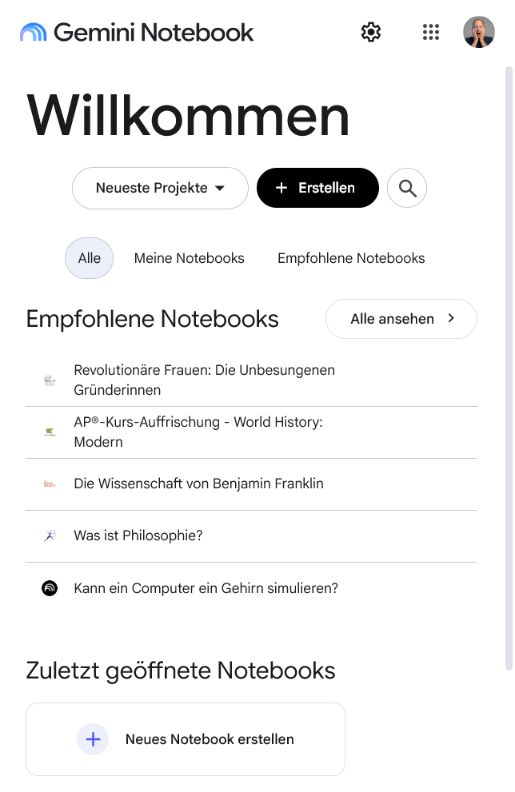
Gemini Notebook: A source-grounded research workspace for your own documents, deeper analysis and useful overviews.
Editorial review: Jul 5, 2026
Facts checked: Oct 18, 2026
Translated: Oct 18, 2026
Practical value, usability and value for money, equally weighted.
Gemini Notebook is particularly suited to source-grounded research: collect your own documents, answer questions transparently with sources, and turn them into useful audio, chart or slide overviews.
Gemini Notebook combines source grounding, data analysis and useful formats such as audio overviews, charts and slides. This makes it considerably more useful than an open-ended chat for teams with extensive internal documentation.
When open web research is required, sources are missing, or the tool is expected to freely add information beyond the uploaded material.
When you ask about your documents, Gemini Notebook links answers to source passages so you can check a product claim directly in the source used.
Google: chat in Gemini NotebookThe experimental agent features can execute code and generate tables or charts, so calculations based on customer data should be reviewed before sharing.
Google: experimental agent featuresStudio creates audio overviews, data tables and slide decks from the same collection of sources, for example to help colleagues get up to speed on a new customer project.
Google: Notebook and StudioTypical outputs with Gemini Notebook: source-grounded research, code and data analysis, audio, chart and slide overviews; for small businesses, also a short brief, a checklist and a next action for the responsible team.
Facts checked: Oct 18, 2026
Client: no · Server: no
No official MCP server, only unofficial community servers; official API only for Enterprise customers through Google Cloud. No source
Facts checked: Sep 30, 2026
Cloud DPA only with a Workspace account; personal accounts have no DPA. Data location is not clearly documented. The product was previously called NotebookLM. DPA: yes · EU hosting: unclear · Headquarters: USA · Source
Facts checked: Sep 30, 2026
Free plan: yes
Free plan, from 4,99 EUR/month (through Google AI Plus). Higher limits are available with Google AI Plus, Pro or Ultra; the free version allows 100 notebooks and 50 chats a day. Source
Free plan
Facts checked: Sep 30, 2026
Upload a training PDF, a website, a webinar transcript and internal FAQs into a notebook and generate a study guide, customer FAQs, an audio overview, a chart and a slide outline.
Analyze these documents using the sources provided. First deliver a 7-point summary with source references, then open questions, an action list and useful metrics for a chart.
Create a notebook with approved proposal PDFs and use Studio to produce a data table containing services, target audience, pricing information and restrictions. Export it to Sheets and use the source sheet for verification. Explicitly leave missing information open.
Google: Create a Gemini NotebookCreate an FAQ report from product documentation and documented customer questions, then export it to Docs. Add conversational wording and approved answers there. Note that changes in the exported document do not automatically flow back into the notebook; maintain one authoritative version.
Google: Create a Gemini NotebookSources: Oct 18, 2026
What I appreciate most is that it sticks to the materials you provide yourself. This reduces the problem of fabricated answers that can plague traditional chatbots.
Amanda CaswellTom's Guide · Jun 8, 2026
An academic study describes NotebookLM as accessible, source-grounded RAG support for personalized and transparent learning.
Research teamarXiv · Apr 13, 2025
Gemini Notebook is particularly suited to source-grounded research: collect your own documents, answer questions transparently with sources, and turn them into useful audio, chart or slide overviews.
When open web research is required, sources are missing, or the tool is expected to freely add information beyond the uploaded material.
Source-based research; code and data analysis; audio, chart and slide overviews
Upload a training PDF, a website, a webinar transcript and internal FAQs into a notebook and generate a study guide, customer FAQs, an audio overview, a chart and a slide outline.
Free plan · from 4,99 EUR/month (through Google AI Plus). See the pricing section on this page for pricing details and the documented information date.